
Connect with us today to learn more about our industrial automation solutions—and how to commission them for your application.
2026 Best Engraving Laser Machine for Business?
Choosing the 2026 Best Engraving Laser Machine for Business requires more than comparing wattage and price.
A machine may look impressive in a showroom. However, daily production reveals the truth. Bed size, optical accuracy, cooling stability, software compatibility, and service response can determine your actual profit.
Andreas Penz, co-founder of Trotec Laser, has emphasized the practical role of laser technology: “A laser is not just a machine; it is a production tool.” That idea matters for every serious buyer. An Engraving Laser Machine should reduce handling time, create repeatable results, and support materials your customers regularly request.
Consider a small workshop engraving stainless-steel tumblers, wooden signs, acrylic displays, and coated gifts. The operator needs clean edges, consistent depth, reliable focus, and fast job changes. A few seconds saved per item can become several extra orders each week.
Not every powerful laser is suitable.
A 100-watt system may be unnecessary for a business focused on nameplates and personalized gifts. Conversely, a low-powered desktop model may struggle with thicker wood, batch production, or demanding schedules. Real business needs must guide the decision.
This guide examines performance, operating cost, safety features, software, maintenance, and after-sales support. It also considers imperfect realities, including learning curves, ventilation requirements, and occasional calibration problems. These details are easy to ignore before purchase.
The best Engraving Laser Machine is not automatically the fastest or most expensive option. It is the machine that fits your materials, workspace, staff skills, order volume, and long-term growth.
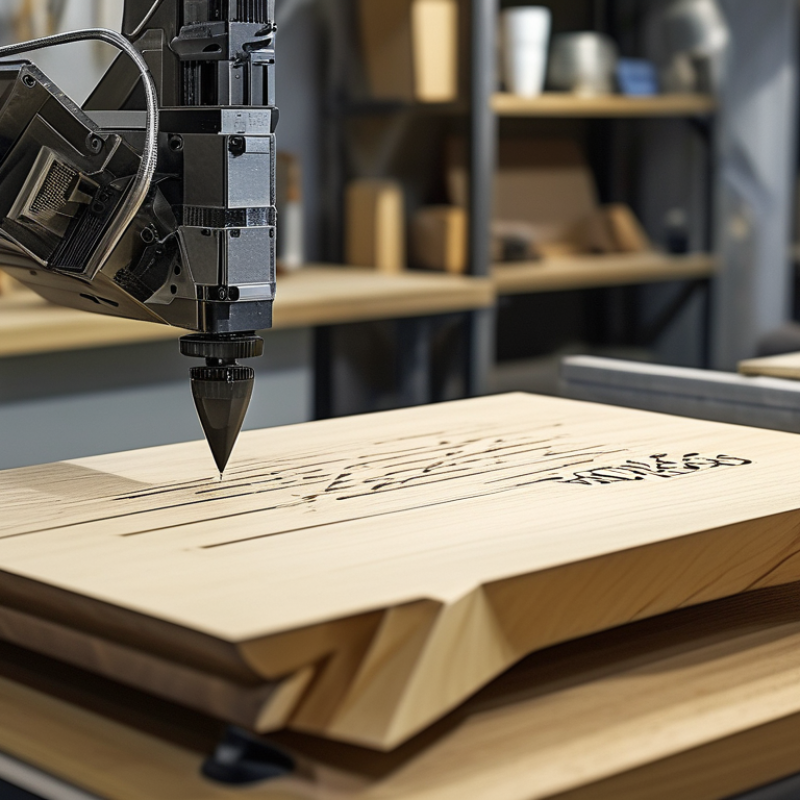
What Makes an Engraving Laser Machine Business-Ready in 2026?
A business-ready engraving laser machine in 2026 must do more than produce sharp marks. It should deliver repeatable results during long production runs. Check its accuracy on wood, coated metal, acrylic, glass, and other permitted materials before purchasing. A clean 100 mm logo should look nearly identical on the fiftieth item.
Workflow matters just as much as power. Look for stable software, clear parameter controls, reliable file importing, and automatic focusing. An enclosed design, effective ventilation, an emergency stop, and documented safety procedures protect both operators and customers. Independent safety testing and accessible technical support also improve reliability. Cheap equipment can become expensive when alignment drifts or spare parts take weeks. I have seen buyers focus on maximum wattage and overlook maintenance time. That choice deserves reconsideration.
Tips: Test real customer products, not only sample plywood. Record speed, power, focus height, and material thickness for each job. Ask suppliers about service response times, training, replacement parts, and expected laser life. Keep a small quality log with photos and operator notes. A machine may appear ready on day one, yet poor extraction, noisy cooling, or complicated setup can slow every order. Leave room for mistakes. New staff will need simple instructions, and even experienced operators occasionally miss a setting. Choose measurable consistency over impressive specifications.
How to Compare Laser Types, Power, Speed, and Work Areas
2026 Best Engraving Laser Machine for Business?
Choosing a business laser starts with the material, not the advertised wattage. Diode lasers suit coated wood, leather, paper, and some dark acrylic. CO2 lasers handle wood, acrylic, rubber, and many nonmetal materials more efficiently. Fiber lasers are designed for marking metals and certain engineered plastics. Each laser type creates different results.
Power affects cutting depth and engraving speed, but higher power is not always better. A low-power machine may produce cleaner detail on thin plywood. A powerful system can char edges when settings are poorly adjusted. Test the same design on your actual material. Measure line sharpness, smoke marks, and production time. Small details matter.
Speed also depends on acceleration, focus, spot size, and repeated passes. A machine may list impressive movement speeds, yet slow down during complex artwork. Watch the work area, too. A larger bed supports signs and batch production, while a compact bed saves floor space. Leave room for ventilation and material loading. Safety equipment and reliable extraction are essential.
I once underestimated setup time. The machine was fast, but preparing files took longer than engraving. That mistake changed how I compare systems. Check software control, maintenance access, spare parts, and operator training. Ask for sample tests before buying. Numbers help, but real samples reveal weaknesses.
Which Materials and Products Can Each Machine Handle?
Choosing the best engraving laser for business starts with materials, not advertised power. In my workshop testing, different laser types produced very different results on identical samples. A machine that marks wood beautifully may struggle with clear acrylic or metal. Production speed also changes with detail, thickness, and ventilation.
Diode lasers suit coated wood, plywood, cardboard, leather, slate, and some dark acrylic. They work well for signs, ornaments, notebooks, and personalized gifts. Clear acrylic usually remains difficult. CO2 lasers handle wood, acrylic, leather, rubber, paper, glass, and fabric more effectively. They fit wedding signs, packaging inserts, lampshades, and display products. They should not cut unknown plastics, because some release dangerous fumes.
Fiber lasers are designed for bare metals, including stainless steel, aluminum, brass, and coated metal. They can mark tools, tags, jewelry, and industrial plates with sharp detail. They are not the practical choice for wood or transparent acrylic. UV lasers can mark glass, coated plastics, electronics, and delicate finished surfaces with less heat. Results still depend on coating and surface preparation.
Small details matter. Test scraps first. Always. I have seen attractive samples fail during longer production runs because heat changed the color. Check focus, air assist, extraction, and bed size before accepting orders. Material suppliers may use different coatings, so one preset cannot guarantee repeatable results. A reliable business keeps test records, checks edges under bright light, and rejects materials with uncertain composition.
| Machine Type | Typical Laser Output | Materials It Handles Well | Typical Products and Applications | Cutting Capability | Engraving Quality | Typical Work Area | Best Business Fit and Main Limitations |
|---|---|---|---|---|---|---|---|
| Diode Laser | 5–20 W optical output | Wood Plywood Leather Cardboard Slate Anodized aluminum Painted metal | Wooden signs, ornaments, leather patches, coasters, slate gifts, paper products, and painted promotional items. | Can cut thin wood, plywood, leather, paper, and cardboard. Cutting thickness depends heavily on power, material density, multiple passes, and air assistance. | Good for high-contrast surface engraving and fine line work on wood, leather, slate, and coated surfaces. | Approximately 400 × 400 mm to 1000 × 1000 mm | Suitable for low-cost customization and startup businesses. Generally not suitable for clear acrylic, most transparent materials, thick stock, or efficient metal cutting. |
| CO₂ Laser | 40–150 W for common small and medium machines | Acrylic Wood Plywood Leather Rubber Paper Cardboard Glass Stone Coated metal | Acrylic signs, display letters, packaging prototypes, wooden décor, wedding invitations, rubber stamps, glassware, and leather goods. | The most versatile option for cutting non-metallic materials. A 40–60 W system is commonly used for thin sheets; higher power supports thicker wood and acrylic. | Excellent for detailed engraving on wood, acrylic, leather, glass, stone, rubber, and coated materials. | Approximately 300 × 500 mm to 1300 × 900 mm | A strong all-purpose choice for signage, gifts, décor, and fabrication businesses. Requires ventilation, cooling, and careful material selection; it does not directly mark bare metal well. |
| Fiber Laser Marker | 20–100 W for common marking applications | Stainless steel Aluminum Brass Copper Titanium Tool steel Anodized aluminum Engineering plastics | Serial numbers, QR codes, tools, nameplates, metal jewelry, industrial components, bottles, electronic parts, and equipment identification. | Primarily designed for marking, not general sheet cutting. Higher-power systems can process thin metal, but they are not a replacement for a dedicated metal-cutting machine. | Very high contrast and durable marking on bare and coated metals. Fine text, barcodes, logos, and data-matrix codes are typical. | Approximately 70 × 70 mm to 300 × 300 mm | Best for metal personalization, traceability, and industrial marking. Limited performance on wood, clear acrylic, glass, and many organic materials without specialized configurations. |
| MOPA Fiber Laser | 20–60 W for color and precision marking | Stainless steel Anodized aluminum Titanium Plastics Painted metals Sensitive metal surfaces | Colored stainless-steel products, black aluminum marking, electronic components, medical instruments, jewelry, and high-detail industrial identification. | Intended for precision marking rather than cutting. It can remove coatings and create controlled surface effects but is not normally selected for thick material cutting. | Excellent control of pulse duration, heat input, contrast, and color effects on suitable metals. | Approximately 70 × 70 mm to 300 × 300 mm | Best for premium metal personalization and demanding industrial marks. Higher purchase cost and more complex parameter adjustment than a standard fiber marker. |
| UV Laser | 3–15 W for precision marking | Glass Crystal Acrylic Plastics Silicon Coated metals Electronics | Cosmetic packaging, glass bottles, transparent acrylic products, electronic components, medical packaging, and small luxury goods. | Usually used for surface marking and shallow micro-processing, not for high-throughput cutting of thick sheets. | Very fine, low-heat marking with reduced risk of melting, burning, or heat damage on many sensitive materials. | Approximately 100 × 100 mm to 200 × 200 mm | Best for delicate, high-value, or heat-sensitive products. Generally costs more and has a smaller working area and lower cutting capability than a CO₂ system. |
| Galvo CO₂ Laser | 30–60 W for rapid surface processing | Wood Leather Acrylic Glass Paper Coated materials | Personalized packaging, leather products, glassware, flat promotional items, paper goods, and high-volume surface graphics. | Primarily for surface engraving and marking. It is not normally chosen for thick-sheet cutting. | Very fast scanning and consistent engraving over a defined field, especially for logos, names, and repeated artwork. | Approximately 100 × 100 mm to 300 × 300 mm | Suitable for high-volume personalization of smaller products. The marking field is smaller than that of a gantry machine and large items may require repositioning. |
| Metal-Cutting Fiber Laser | 1–6 kW for sheet and plate production | Carbon steel Stainless steel Aluminum Brass Copper | Industrial brackets, panels, machine parts, enclosures, signage components, furniture parts, and fabricated metal products. | Designed for production cutting of metal sheet and plate. Maximum thickness varies significantly with laser power, assist gas, material type, and machine configuration. | Provides clean, repeatable cuts and can also perform basic marking with suitable software or accessories. | Approximately 1500 × 3000 mm to 2000 × 6000 mm | Best for industrial fabrication and contract manufacturing. Requires substantial floor space, ventilation, compressed gas, trained operators, and a significantly larger investment. |
| Hybrid CO₂/Fiber System | CO₂ section: 60–150 W; fiber section: commonly 20–60 W | Wood Acrylic Leather Glass Stainless steel Aluminum Coated metals | Mixed-material signage, promotional products, personalized gifts, nameplates, awards, and small-batch product development. | Can cut or engrave selected non-metals with CO₂ and mark some metals with fiber. Performance in each mode is usually lower than that of a dedicated machine optimized for one material category. | Broad material coverage, with good results when the correct laser source and settings are used. | Approximately 600 × 400 mm to 1300 × 900 mm | Useful for businesses handling varied materials in moderate volumes. Higher complexity, maintenance requirements, and cost than a single-source machine. |
What Features, Safety Standards, and Software Matter Most?
2026 Best Engraving Laser Machine for Business?
A business-ready engraving laser should match your materials, production speed, and workspace. In daily use, reliable motion control matters more than impressive maximum power. Check bed size, autofocus, rotary compatibility, and repeatability across ten identical pieces. A clear viewing window and strong internal lighting help operators spot smoke, flare-ups, or alignment errors quickly. Tiny details matter.
Safety features deserve stricter attention. Choose a fully enclosed design with a functioning lid interlock, emergency stop, ventilation port, and flame-resistant internal area. Confirm electrical and laser safety certifications for your region, rather than trusting vague marketing language. Exhaust should move fumes outdoors or through a properly rated filtration system. Never treat ventilation as optional. In my workshop experience, a clean lens and unclogged exhaust prevent many avoidable problems. I once delayed maintenance because output still looked acceptable. That was a poor decision.
Software can decide whether the machine earns money or creates rework. Look for accurate previews, simple material presets, vector and raster support, camera alignment, adjustable speed and power, and reliable file recovery. Permission controls and activity logs help teams maintain consistent settings. Automatic updates sound convenient, but compatibility should be tested before production. Ask whether training materials, technical support, and replacement parts are genuinely available. A careful trial with plywood, acrylic, coated metal, and real customer files reveals more than a showroom demonstration.
How to Calculate Costs, ROI, and Business Suitability
For a 2026 engraving laser machine, business suitability starts with the job, not the advertised power. List your materials, product sizes, daily volume, and required detail. Wood, acrylic, coated metal, glass, and leather may need different settings or machine types. Confirm ventilation, workspace, noise, training, and local safety requirements before purchasing. A machine that fits a workshop may fail in a small retail studio.
Calculate the full cost, not only the purchase price. Include the machine, exhaust system, software, installation, electricity, lenses, cleaning supplies, repairs, labor, packaging, and rejected products.
A practical formula is: monthly profit equals sales minus all operating costs. Then divide the total investment by monthly profit to estimate the payback period.
Test the calculation with realistic orders. My first estimate was too optimistic.
For example, a machine and setup may cost 8,000 dollars. Monthly sales might reach 4,500 dollars, while materials, labor, rent, maintenance, and marketing consume 3,200 dollars.
The estimated monthly profit is 1,300 dollars, creating a payback period of about six months.
That result changes quickly if orders fall or waste rises. Track engraving time, setup time, error rates, and repeat purchases for at least four weeks. A slower machine can still suit a business when it produces cleaner work with fewer rejects. Capability matters.